
Breville Barista Touch Review (BES880)

Jack · Founder & Lead Reviewer
Researches every machine through engineering analysis, long-term owner reports, and independent technical testing, including Italian and German sources most English-language reviews skip.
Last updated
 4.5
4.5
Breville's BES880 sits between the Barista Pro and the Barista Touch Impress in the lineup: the Pro handles grind precision and manual technique for less, the Impress adds auto-tamping for more, and the Touch sits between them with a touchscreen and an auto steam wand as its main differentiators. At a discount, which happens regularly, it becomes harder to argue against.
The auto steam wand is the feature that decides whether this machine is for you. If hands-free microfoam sounds appealing and you want a built-in grinder to go with it, there's nothing in the Breville lineup that does both for less. If you'd rather develop manual steaming technique, the Barista Pro is the better call.
The verdict up front
The Barista Touch is the most complete daily-driver machine in Breville's lineup for buyers who want automation on both the brewing and steaming side. The touchscreen programmability, auto steam wand, and 30-setting grinder in one package is hard to beat at this price point. The caveats are the ones shared by all Breville semi-automatics: 54mm portafilter, no auto-tamping at this tier, and the auto wand limits what you can do manually.
What makes the Barista Touch different from the Barista Pro
Both machines share the same core: ThermoJet 3-second heat-up, a 54mm portafilter, 30 grind settings, and low-pressure pre-infusion. The divergence is in two places.
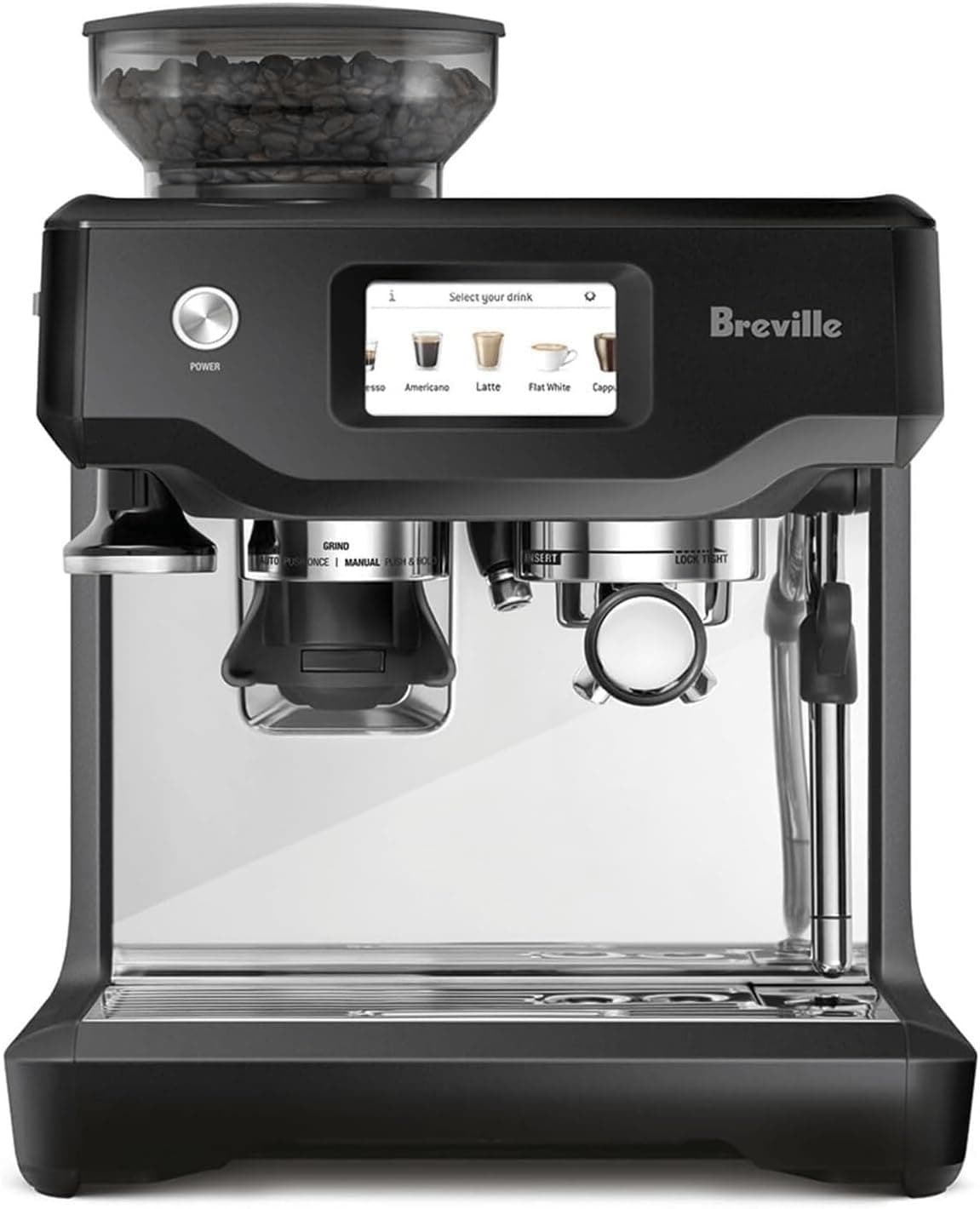
Touchscreen vs LCD display. The Barista Pro has an LCD panel showing extraction temperature and a simple interface. The Barista Touch has a full color touchscreen that stores up to five drink presets: espresso, americano, latte, flat white, and cappuccino. Each preset saves the grind setting, dose time, and milk temperature you set when you first dialed it in. From then on, you select the drink, lock in the portafilter, and press start. The machine reproduces your settings without you touching the grind dial.
For a household where multiple people use the machine, or where you're switching between an espresso for the morning and a cappuccino for the afternoon, the saved presets eliminate the need to re-dial between drinks. That's a genuinely useful daily-use feature.
Auto steam vs manual steam. This is the bigger difference. The Barista Touch's 4-hole auto wand (the same hands-free auto-frothing approach as the Bambino Plus) draws in air, textures milk, and stops at your set temperature automatically. The Barista Pro uses a manual steam wand that requires you to control position, depth, and angle.
Manual steaming is a skill. It takes consistent practice before the results are reliable. The auto wand produces consistent microfoam on the first attempt and every attempt after. The trade-off: the auto wand limits what you can do manually. Latte art, deliberately dry cappuccino foam, or ultra-dense flat white texture all require technique the auto wand can't replicate.
For the majority of home baristas making daily lattes and cappuccinos who want them to taste the same every time, the auto wand is the right call. For anyone building toward manual technique and latte art, the Barista Pro is the better investment.
The grinder and dialing in
Thirty grind settings, the same range as the Barista Pro. Start near the middle of the grind range and adjust by shot time, going finer if the shot runs fast and coarser if it runs slow, targeting roughly 25 to 30 seconds. With the touchscreen, once you've dialed in each drink type, you store those settings and they stay locked in.
The grinder does have some retention in the chute between uses. A quick purge before dosing, pressing the grind button for a second without the portafilter, clears any stale grounds from the previous session before they end up in your shot. Standard Breville practice across the built-in-grinder lineup.
Dose control on the Touch works by time rather than weight, so grind setting changes require a recalibration of shot timing. A scale is useful during dial-in. Once dialed in and stored in a preset, you're not adjusting anything again until you switch to a different bag of beans.
Extraction quality
With 30 grind settings and low-pressure pre-infusion, the Touch produces the same extraction quality as the Barista Pro. The ThermoJet holds temperature consistently between shots, helped by digital PID temperature control that checks and adjusts the heat at the group head through the pull. That puts it ahead of fixed-temperature machines. Pre-infusion pre-wets the puck before full pressure kicks in, which reduces channeling and produces more even extraction on medium roasts.
On light roasts, 30 settings is adequate though not perfect. Fine adjustments between two settings that are one click apart are common when dialing in a washed Ethiopian or a light-roasted Guatemalan. The Barista Pro and Touch are equal here: better than most machines in the category, but not at the resolution of a dedicated separate grinder.
Crema is strong and persistent. Shot-to-shot consistency is high once the preset is dialed in, which is the point of saving those settings in the first place.
Auto steam: how it actually works
The 4-hole steam tip creates strong aeration in milk. You set the pitcher under the wand, press the STEAM button, and the machine runs through a cycle that introduces air, then heats the milk to your selected temperature, then stops. The result is a glossy microfoam suitable for latte-style pours.
Full-fat dairy is where the system works best. Oat and almond milks produce more variable results because the lower fat content changes how air integrates. For plant-milk drinks, a manual wand gives you more control. With dairy, the auto wand is reliably good, a conclusion that Craft Coffee Spot's independent assessment reaches across grinder, auto milk, and PID temperature performance.
You can select different milk temperatures on the touchscreen: cooler for people sensitive to hot drinks, hotter for those who want their latte to stay warm longer. The presets save the temperature alongside the other settings for each drink type.
One comparison worth making: the Breville Bambino Plus has the same auto steam system. The Barista Touch adds the built-in 30-setting grinder, the touchscreen, and programmable presets. If you already own a capable separate grinder and mainly care about the auto steam, the Bambino Plus delivers that core experience for significantly less money.
Barista Touch vs Barista Touch Impress (BES881)
The Barista Touch Impress is the newer, more expensive variant. It adds an integrated digital scale for dose-by-weight dosing (more accurate than dose-by-time) and a revised auto-tamping system. The price gap between the two is typically $250–300.
At full price, the Impress is worth the premium if precise dosing matters to you and you want auto-tamping to remove that variable. The value equation shifts depending on where both machines are priced: the original Touch delivers the auto steam wand and touchscreen for less than the Impress. Unless you specifically need the integrated scale and auto-tamping, the BES880 is often the better value.
Barista Touch vs the competition outside Breville
In its price range, the direct competitors are:
The De'Longhi La Specialista Touch. 15 grind settings vs the Touch's 30. The La Specialista Touch has Bean Adapt guided dialing and cold brew capability; the Breville Touch has significantly more grind resolution and a better steam wand. For espresso dialing precision, Breville wins. For guided setup and cold brew, De'Longhi.
The Breville Barista Pro. Same grinder, no auto steam, LCD instead of touchscreen. Depending on where both are priced, the Touch can cost less while delivering more convenience features. The Pro is the pick if you specifically want manual steam for technique development.
The Smeg EGF03. A manual machine with no built-in grinder, so it's a different category: you supply the grinder yourself. Italian design, dual thermoblock, 58mm portafilter, manual steam. The Smeg wins on design, dual thermoblock speed, and portafilter size. The Touch wins on all-in-one convenience and the built-in 30-setting grinder.
Who should buy the Breville Barista Touch
Buy it if you want a single machine that grinds, extracts, and steams milk with minimal manual steps, you make multiple milk-based drinks per day for different people with different preferences, or you're buying your first real espresso machine and want the learning curve as flat as possible. The value case is straightforward.
Think carefully if developing manual steaming technique is part of your goal. The auto wand gets in the way of that. Buy the Barista Pro instead.
Skip it if you already have a capable separate grinder, in which case the Bambino Plus gives you the same auto steam for less. Or if auto-tamping matters to you, in which case the Barista Touch Impress is the next step up.
What is the difference between the Breville Barista Touch and Barista Touch Impress?
The Barista Touch (BES880) and Barista Touch Impress (BES881) share the same touchscreen, ThermoJet system, 30-setting grinder, and auto steam wand. The Impress adds two things: an integrated digital scale for dose-by-weight grinding (more accurate than the BES880's dose-by-time system) and a revised auto-tamping mechanism. The price gap is typically $250–300. The Impress is worth considering for the scale precision if that degree of dosing accuracy matters to you; otherwise the BES880 is the stronger value.
How does the Barista Touch compare to the Barista Pro?
They share the same ThermoJet, grinder, 30 grind settings, 54mm portafilter, and pre-infusion. The Touch adds a full color touchscreen with 5 programmable drink presets and an automatic steam wand that textures milk hands-free. The Barista Pro uses a manual steam wand and an LCD panel with no preset storage. At full prices the Pro costs less than the Touch; at a discount they can trade places. Choose the Pro if you want to develop manual steaming technique. Choose the Touch if you want consistent hands-free microfoam and programmable presets.
Does the Breville Barista Touch have a built-in grinder?
Yes. The BES880 has Breville's conical burr grinder with 30 settings built into the top of the machine, the same grinder mechanism as the Barista Pro. Beans go directly from the hopper into the portafilter via the built-in dose control system. You don't need a separate grinder. The machine can also accept pre-ground coffee through a bypass option if you want to use a different coffee without running it through the burrs.
Is the Breville Barista Touch good for beginners?
Yes, more so than most machines at this price. The touchscreen guided setup walks you through the basic parameters. The auto steam wand removes the steaming learning curve entirely. Saved drink presets mean you only have to dial in each drink type once. The 30 grind settings do require some dial-in time when opening a new bag of beans, but the feedback from extraction time (and a cheap kitchen scale during setup) makes that process manageable. Compared to a Barista Pro where you're also managing manual steaming, the Touch has a significantly flatter learning curve.